Ken Muse
Dynamic Instructions for Copilot
Ever written a Copilot skill that started clean – then became a sprawling mess of conditionals as you define how to work with different versions of some product? You’re not alone. I’ll show you how a tiny wrapper script can detect your environment and hand Copilot only the instructions that actually apply, keeping your skills small and your model focused. I’ll also unpack the supply-chain security question this technique forces you to take seriously.

Read this article

Decoding Copilot Token Costs Using VS Code
Ever wondered exactly how much a single Copilot chat request actually costs? VS Code already logs the precise breakdown for every model call … if you know where to find it. In this post, I crack open one real log entry and walk through the math step by step so you can read your own usage data with confidence.

Read this article

Why Your Copilot Instructions Don't Need a Folder Map
Ever spent time carefully documenting your project’s folder structure in a copilot-instructions.md file? You’re not alone – it’s one of the most common things developers add. But here’s the thing: VS Code’s Copilot extension already injects a workspace tree into every conversation automatically. And when that tree gets truncated, the LLM has tools to explore further on its own. In this post, I’ll show you what’s happening under the hood so you can spend those instruction tokens on things that genuinely matter.

Read this article

Understanding Agentic Memory in GitHub Copilot
Every conversation with AI starts from scratch – no memory of yesterday’s debugging session, your team’s naming conventions, or the architectural decision you patiently explained three times last week. Agentic memory changes that. It gives AI assistants the ability to accumulate knowledge over time, turning them from stateless tools into collaborators that genuinely improve. In this post, I’ll walk you through the different types of memory and show you how VS Code and GitHub Copilot put these ideas into practice today.

Read this article

Multiple Subagents: The Surprising Reasons It Works
Have you ever tried to ask the AI to create multiple subagents? Or seen an agent that explicitly requests multiple subagents do the same task? The mechanics behind that pattern are more interesting than they appear. In this post, I’ll show you why this pattern works so well – from cleaner context and richer coverage to stronger critique loops – so you can decide when it is worth using in your own workflow.

Read this article

How Temperature, Top-K, Top-P, and Min-P Control LLM Output
If you’ve ever adjusted an AI temperature slider without really knowing what it does, you’re not alone. These settings appear across AI tools and model APIs, but the actual mechanics rarely come with a clear explanation beyond “higher is more creative.” I wrote this post to change that. In it, I break down how Large Language Models select their next word, walk through the math behind softmax, and explain how temperature, Top-K, Top-P, and Min-P each shape the output – so you can tune these settings with confidence instead of guessing.

Read this article

Workspace vs Worktree Isolation in Copilot CLI
Ever wish you could run multiple Copilot CLI agents at once without turning your repo into chaos? I ran into that exact challenge while trying to juggle parallel tasks. I’ll show you when to use workspace versus worktree isolation, how to review and merge agent changes safely, and how to clean up so your workflow stays fast and tidy.

Read this article

Why Focused AI Agents Get Better Coding Results
You’ve heard that custom agents and multi-agent workflows produce better results from AI coding assistants – but do you know why? The answer isn’t just about organization. It’s about a fundamental constraint baked into every large language model: the context window. Understanding how tokens, context, and tools interact can save you hours of frustration. Let me walk you through the mechanics.

Read this article

A Chef's Guide to Customizing GitHub Copilot

A Chef's Guide to Customizing GitHub Copilot

GitHub Copilot now has custom instructions, prompt files, agents, skills, MCP servers, subagents, hooks, and plugins. That’s a lot of options – and if you’re not sure which to reach for, you’re not alone. I found that thinking of each feature as a part of a professional kitchen made everything clearer. Let me walk you through the analogy and a decision framework so you always know exactly which tool fits the job.

Read this article

Creating Agent Plugins for VS Code and Copilot CLI

Creating Agent Plugins for VS Code and Copilot CLI

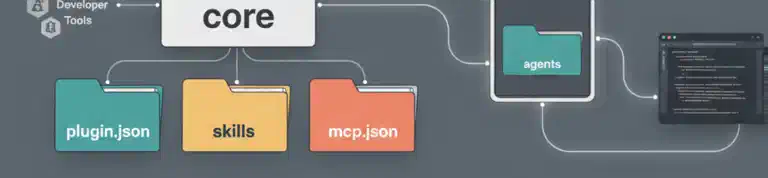
Ever built the perfect set of AI customizations – agents, skills, MCP servers – only to struggle sharing them across projects or with your team? Agent plugins are a new preview feature that packages everything into a single installable unit. I’ll walk you through creating your first plugin, setting up a marketplace to distribute it, and navigating the gotchas you’ll want to know about before diving in.

Read this article