Ken Muse
Creating Agent Plugins for VS Code and Copilot CLI
Ever built the perfect set of AI customizations – agents, skills, MCP servers – only to struggle sharing them across projects or with your team? Agent plugins are a new preview feature that packages everything into a single installable unit. I’ll walk you through creating your first plugin, setting up a marketplace to distribute it, and navigating the gotchas you’ll want to know about before diving in.


Read this article

Beyond MCP: AI Extension APIs in VS Code
In my last couple of posts, I built a standalone MCP server and then embedded it in a VS Code extension. But what happens when you need to do more than reading local files? What if your extension needs to see what’s in the active editor, shape how the AI builds its prompts, or create a full conversational experience in the chat panel? That’s where VS Code’s AI extension APIs come in. In this post, I walk through the APIs that go beyond MCP – from direct model access to chat participants – and help you figure out when each one is the right fit.

Read this article

Adding an MCP Server to a VS Code Extension
Have you ever built a tool that solved a problem but felt a bit… fragile? That’s exactly where I found myself with my Bash-based MCP server. It worked, but it was hard to maintain that hack. In this post, I’ll show you how I took that concept and matured it into a proper VS Code extension. You’ll learn how to embed an MCP server directly into your extension, making it easier to share, test, and maintain. If you’re looking to upgrade your own development tools or just curious about how MCP servers fit into the VS Code ecosystem, this guide is for you!

Read this article

GitHub Agentic Workflows Bring AI Agents to Actions
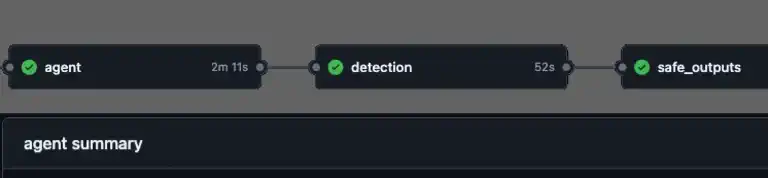
What if your repository could triage issues, investigate CI failures, and update documentation without you? GitHub just launched Agentic Workflows – a new way to automate repository tasks using AI coding agents, all written in plain Markdown. Here’s a look at how they work, what makes the security model interesting if you work with AI, and why you should pay attention.

Read this article

Getting Better AI Results With Deterministic Context and MCP
Have you ever watched your AI assistant suggest something completely different from what you expected? Ever had it seem to ignore clear step-by-step directions and do something different? I was frustrated when Copilot kept making inconsistent decisions about my content metadata. After trying custom instructions and task-specific prompts, I finally found the solution: give the AI exactly what it needs. Here’s how I did it.

Read this article

What Is MCP and Why Do Developers Care?
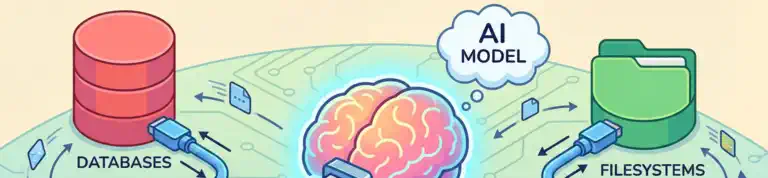
Ever notice how AI assistants are brilliant at reasoning but can’t actually check your database or call your APIs? You end up playing middleman, copying data back and forth. Model Context Protocol (MCP) changes that. It’s an open standard that lets AI assistants connect directly to your data sources and tools while keeping you in control. Let me show you more about what it is, how it works, and why it matters.

Read this article

The New DevOps - Why AI Is Not Taking Your Job (Yet)
While AI tools like GitHub Copilot are revolutionizing software development, they’re not replacing developers—they’re amplifying them. Learn why companies that think they can eliminate developers are making a costly mistake, and how the smartest organizations are using AI to make their teams faster and more effective than ever. And learn how you and AI will be working together to create even more value.

Read this article

Understanding the Secret Life of AI Tools

Understanding the Secret Life of AI Tools

It’s becoming increasingly important to understand how AI tools work. Sometimes, the way you prompt the model can drastically alter the response generated. With a little effort, it can even enable a model to request information from external APIs or tools. In this post, I explain how prompts can be used to enhance the response generated by AI models by interacting with tools and APIs.

Read this article