Ken Muse
Workspace vs Worktree Isolation in Copilot CLI
Ever wish you could run multiple Copilot CLI agents at once without turning your repo into chaos? I ran into that exact challenge while trying to juggle parallel tasks. I’ll show you when to use workspace versus worktree isolation, how to review and merge agent changes safely, and how to clean up so your workflow stays fast and tidy.

Read this article

Why Focused AI Agents Get Better Coding Results
You’ve heard that custom agents and multi-agent workflows produce better results from AI coding assistants – but do you know why? The answer isn’t just about organization. It’s about a fundamental constraint baked into every large language model: the context window. Understanding how tokens, context, and tools interact can save you hours of frustration. Let me walk you through the mechanics.

Read this article

A Chef's Guide to Customizing GitHub Copilot
GitHub Copilot now has custom instructions, prompt files, agents, skills, MCP servers, subagents, hooks, and plugins. That’s a lot of options – and if you’re not sure which to reach for, you’re not alone. I found that thinking of each feature as a part of a professional kitchen made everything clearer. Let me walk you through the analogy and a decision framework so you always know exactly which tool fits the job.

Read this article

Creating Agent Plugins for VS Code and Copilot CLI

Creating Agent Plugins for VS Code and Copilot CLI

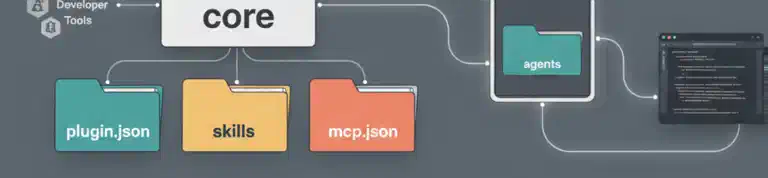
Ever built the perfect set of AI customizations – agents, skills, MCP servers – only to struggle sharing them across projects or with your team? Agent plugins are a new preview feature that packages everything into a single installable unit. I’ll walk you through creating your first plugin, setting up a marketplace to distribute it, and navigating the gotchas you’ll want to know about before diving in.

Read this article

GitHub Agentic Workflows Bring AI Agents to Actions
What if your repository could triage issues, investigate CI failures, and update documentation without you? GitHub just launched Agentic Workflows – a new way to automate repository tasks using AI coding agents, all written in plain Markdown. Here’s a look at how they work, what makes the security model interesting if you work with AI, and why you should pay attention.

Read this article

What Is MCP and Why Do Developers Care?
Ever notice how AI assistants are brilliant at reasoning but can’t actually check your database or call your APIs? You end up playing middleman, copying data back and forth. Model Context Protocol (MCP) changes that. It’s an open standard that lets AI assistants connect directly to your data sources and tools while keeping you in control. Let me show you more about what it is, how it works, and why it matters.

Read this article

Configuring GitHub Runners With a Dotfiles Action
Your dotfiles repository already personalizes your development environments, but what if it could do more? What if the same configurations that protect your local machine could secure your CI/CD pipelines? By adding a simple composite action to your dotfiles repo, you can apply security settings and configurations to any GitHub runner – without managing tokens or cloning anything yourself. Let me show you how.

Read this article

Deploying Services on GitHub Runner Custom Images
What if you could run your own Docker registry, package cache, or proxy directly on your GitHub runners? Because custom images give you administrative rights, you can deploy persistent services that stick around for every workflow. In this post, you’ll discover how to turn your runners into powerful infrastructure hubs that speed up builds and cut your external dependencies dramatically.

Read this article

Caching Repositories on GitHub Runner Custom Images
Waiting minutes for a massive repository to clone in every workflow run is painful. I’ll show you how to bake that repository into your custom GitHub runner image and then use Git’s reference clone feature – a clever trick that cuts clone times from minutes to seconds.

Read this article

Masking Sensitive Information on GitHub Runner Custom Images
When using GitHub custom images, you may need to handle sensitive information at different stages of the image lifecycle. Today, you’ll learn to use workflow commands to mask sensitive data during both image creation and job execution, ensuring secrets stay protected in your build logs.

Read this article